• Contact us on WhatsApp WhatsApp
  • Book a Call
  • Contact Us

Approve360 – Smart Approval Management

Every growing company hits the same wall: approvals scattered across emails, chats and spreadsheets. Requests get lost, managers forget to respond, and nobody can say where things are stuck. We built Approve360 to tear that wall down.

Approve360 is a configurable approval platform built on Microsoft Power Apps. Admins design their own workflows in a simple step-by-step builder, choosing the approvers, the order, the limits and the form requesters fill in, without writing a single line of code. Requesters submit in seconds, approvers get notified instantly, and everyone can see exactly where each request stands. It comes ready for Expense, Purchase, Invoice, Vendor, Travel Reimbursement, CAPEX and Asset Request approvals, and runs securely inside your own Microsoft 365 environment.

Request a consultation

Features

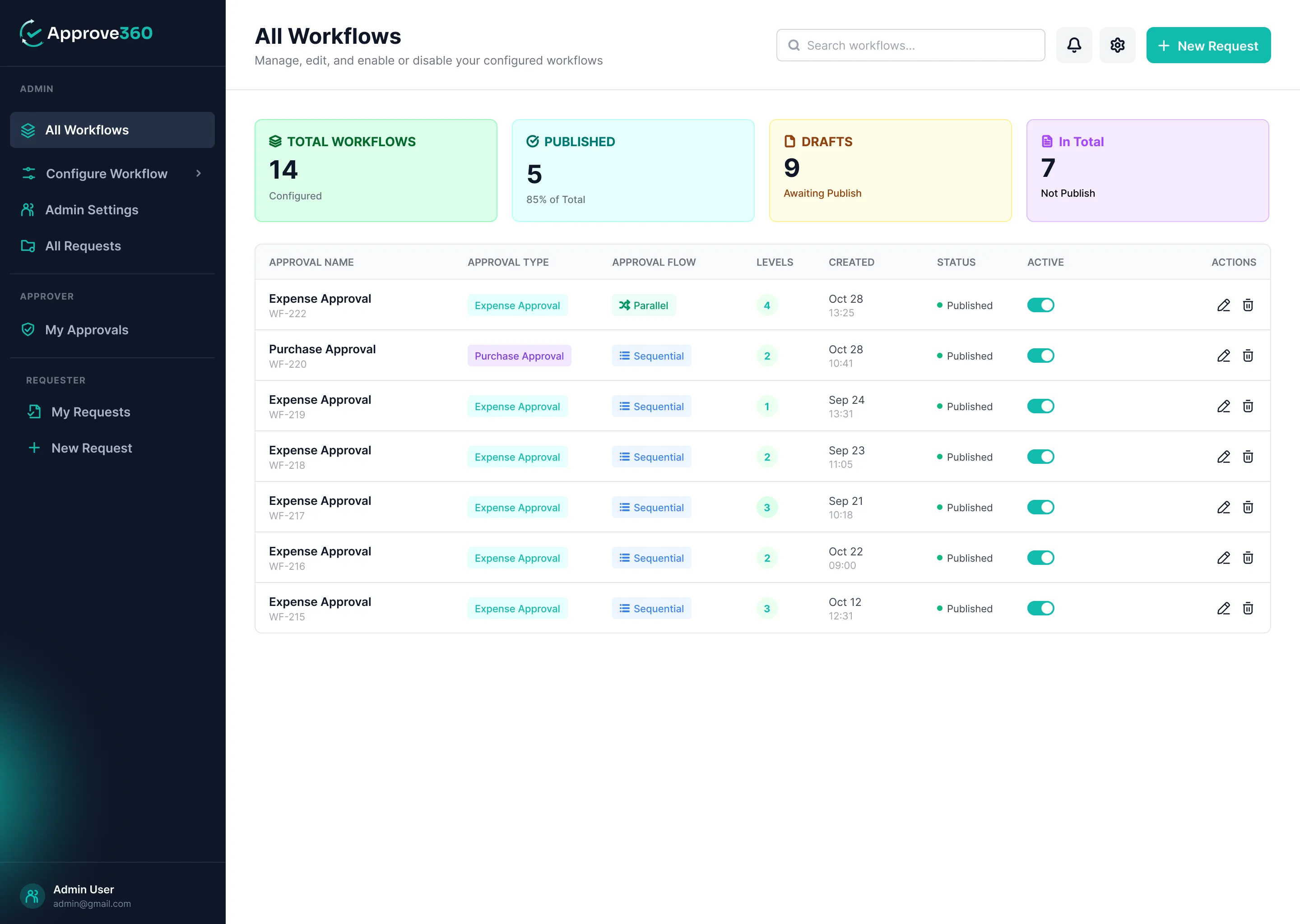
01 All Workflows Dashboard
  • See every approval workflow in your organization at a glance, with live counts of total, published, draft and inactive workflows.
  • Search, filter and sort in seconds, and switch any workflow on or off with a single toggle.
  • Create a brand-new workflow with one click on "New Workflow".
All Workflows Dashboard
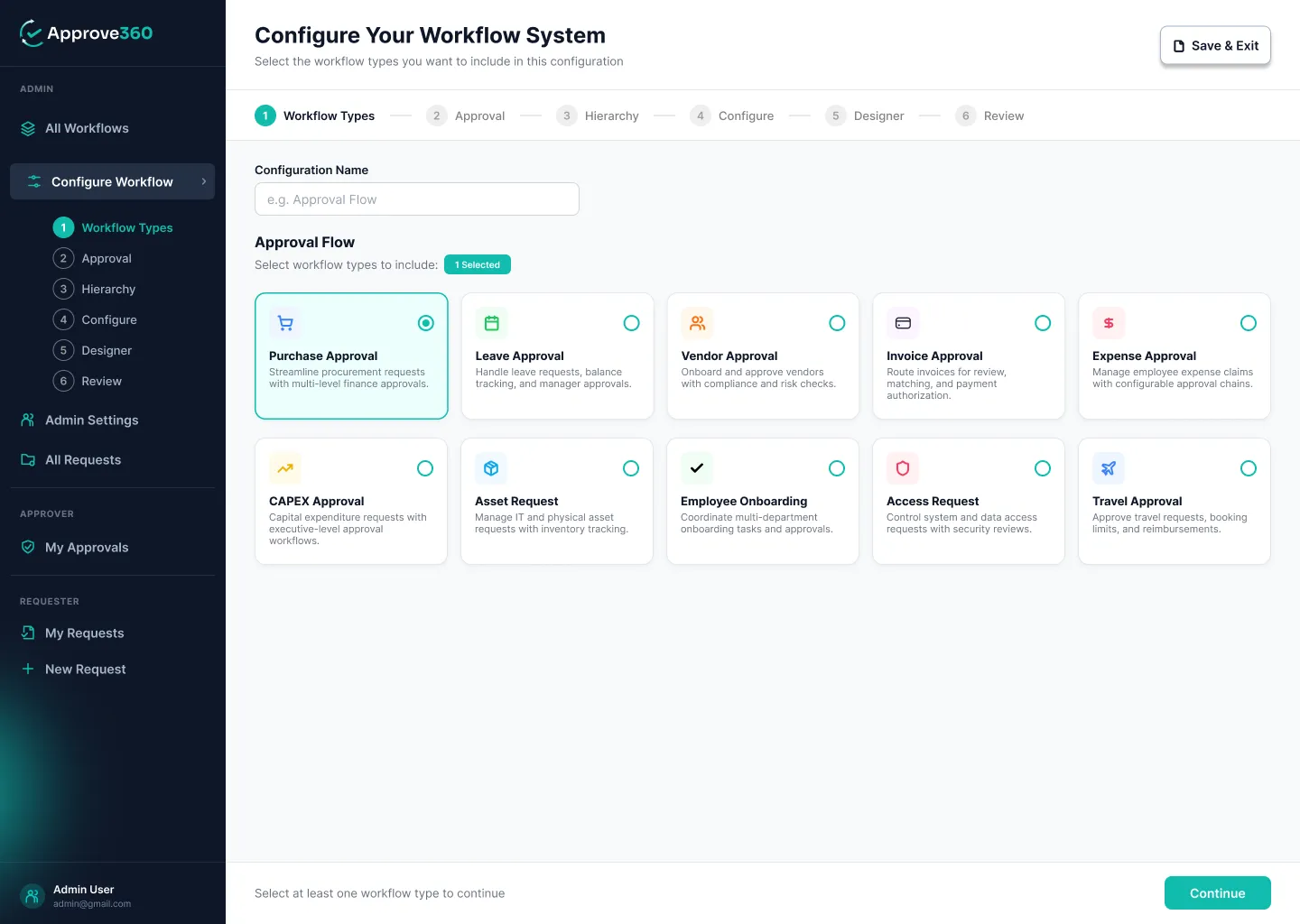
Choose Your Approval Type
02 Choose Your Approval Type
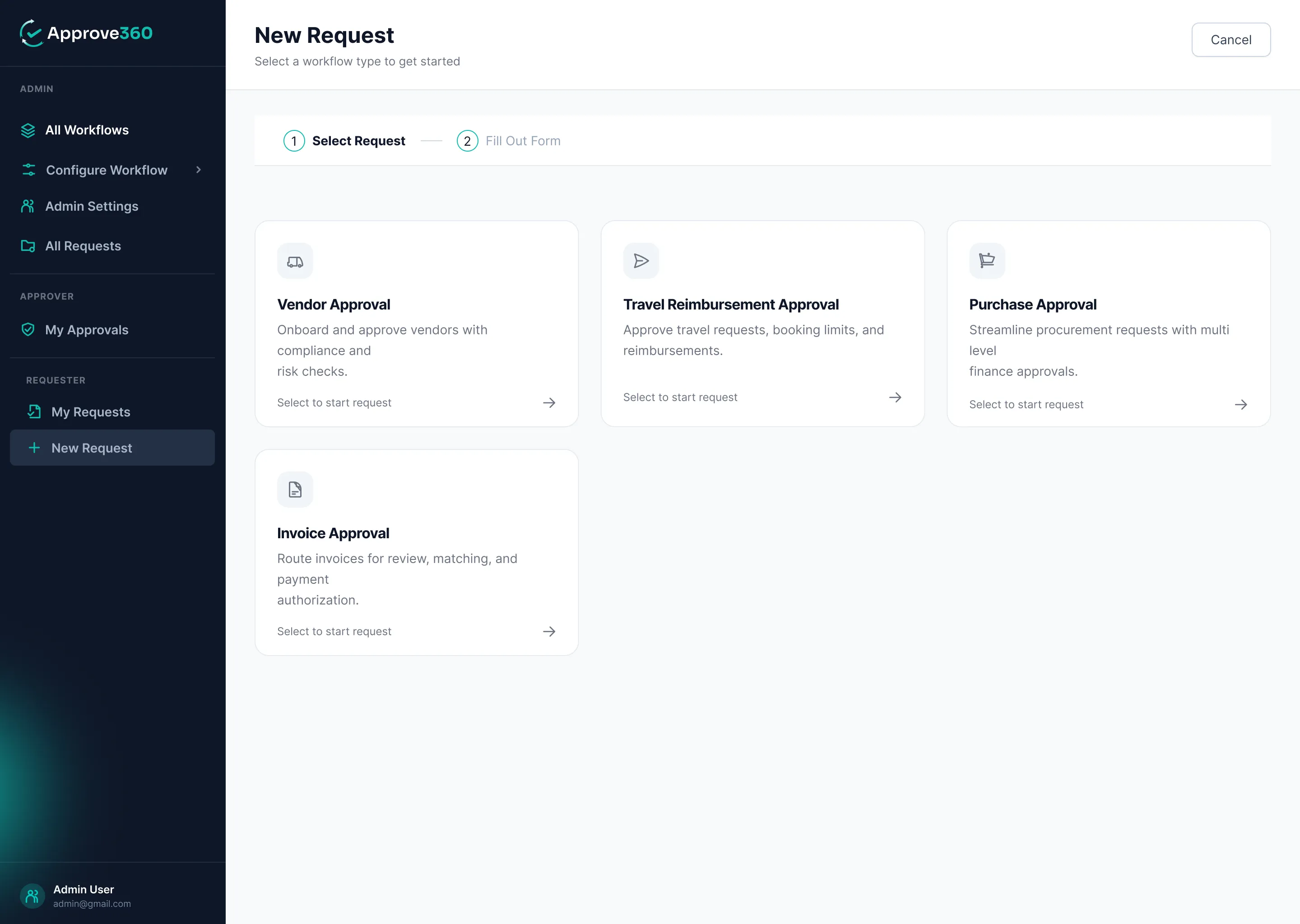
  • Start from ready-made approval types: Expense, Purchase, Invoice, Vendor, Travel Reimbursement, CAPEX and Asset Request.
  • Pick a type and Approve360 sets up a sensible starting form and flow for you, so you're never building from a blank page.
  • A clear step-by-step builder guides you from approval type to publish, with nothing to code.
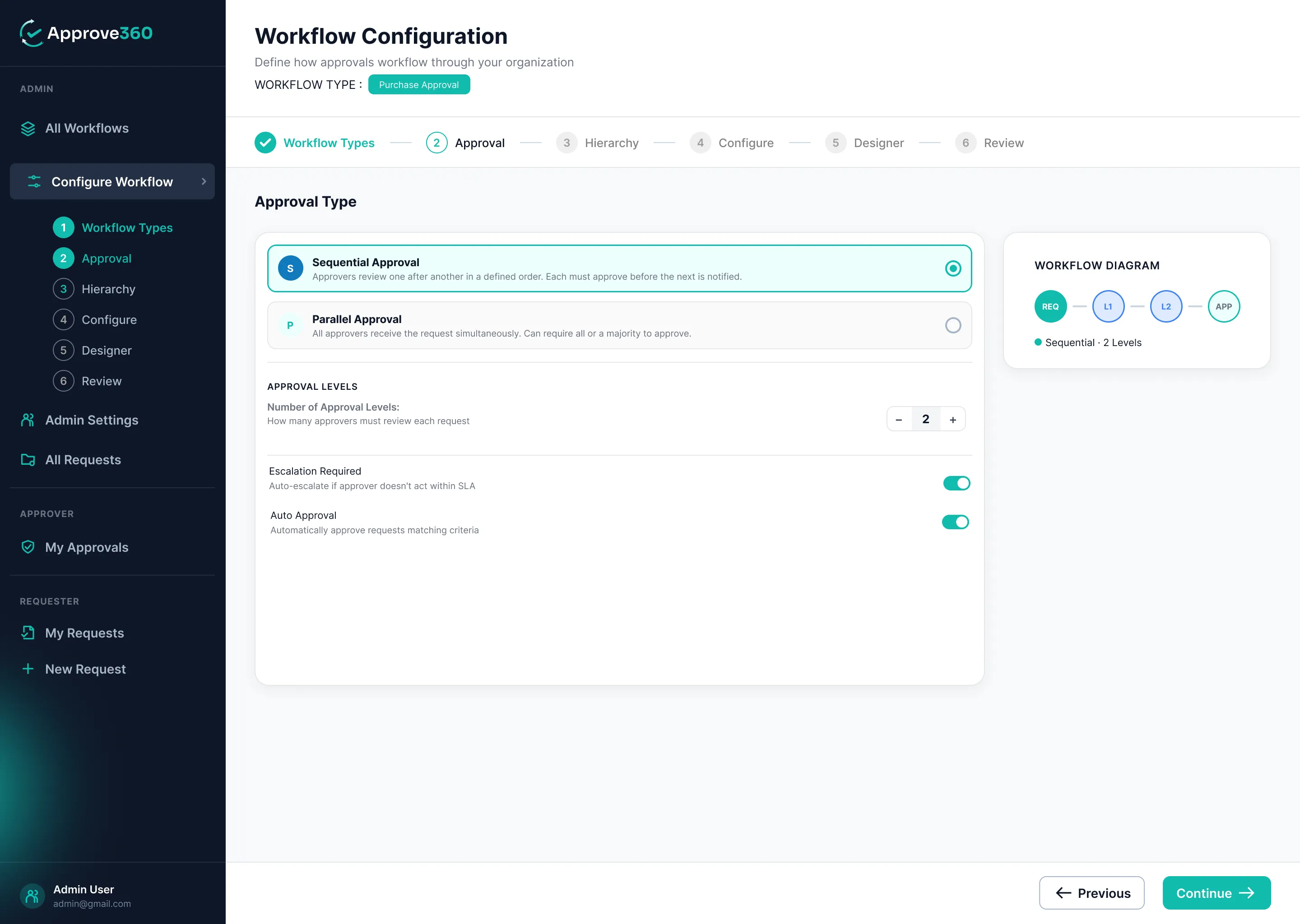
03 Sequential or Parallel, Your Call
  • Route requests one approver after another, or send them to everyone at once.
  • A live workflow diagram shows exactly how each request will travel as you build it.
  • Save your progress as a draft anytime and come back to finish later.
Sequential or Parallel, Your Call
Approval Hierarchy & Matrix
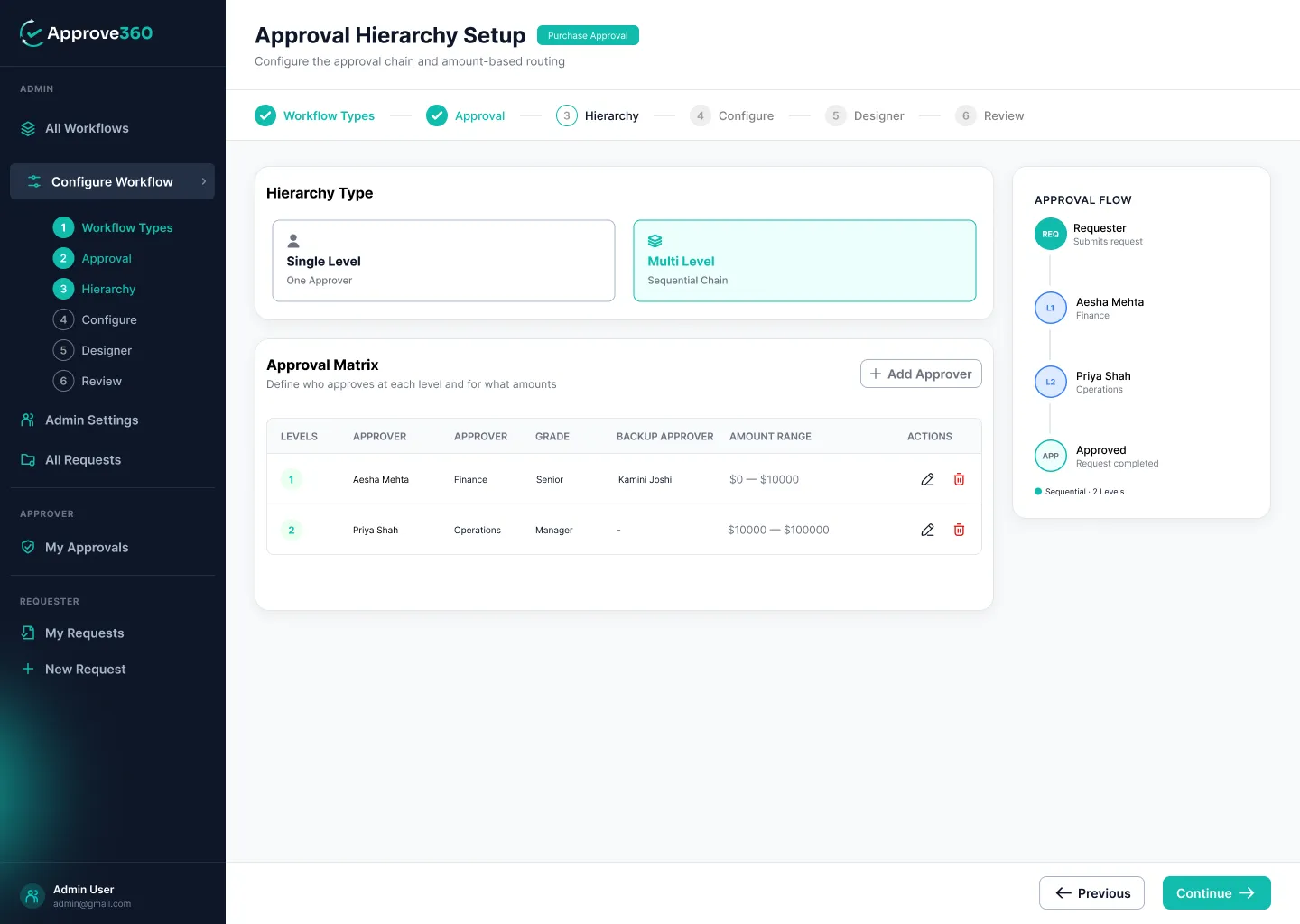
04 Approval Hierarchy & Matrix
  • Require every approver to sign off, or let the first approval close the request.
  • Build an approval matrix of up to 10 levels, picking approvers by department and grade.
  • Set value thresholds so bigger requests automatically reach more senior people, and add a backup approver for each level.
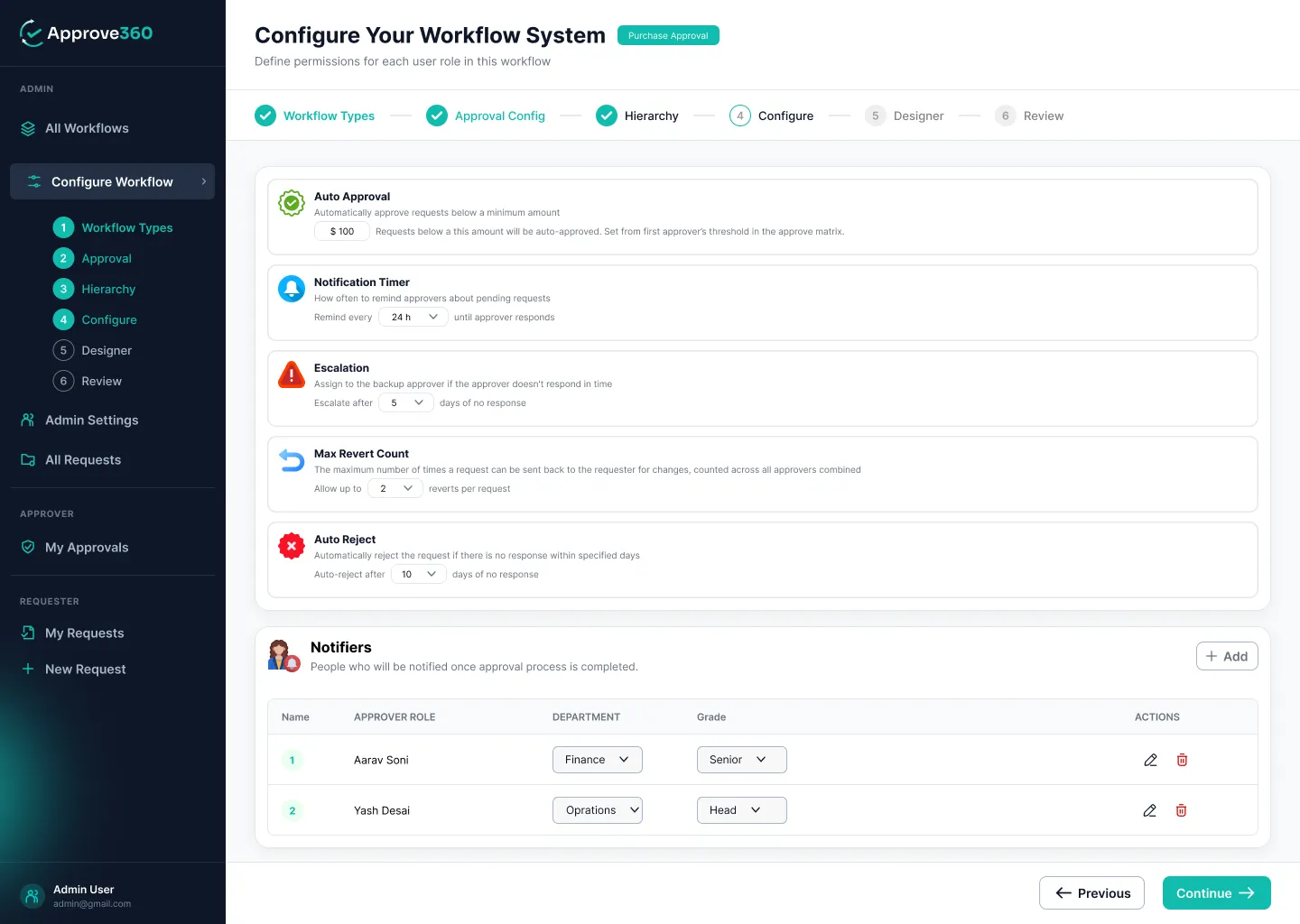
05 Automation That Does the Chasing
  • Auto-approve small requests below the threshold you set.
  • Send automatic reminders, escalate to backup approvers, and auto-reject requests left too long, all on timers you control.
  • Set a limit on how often requests can be sent back, and add notifiers who stay in the loop on every request.
Automation That Does the Chasing
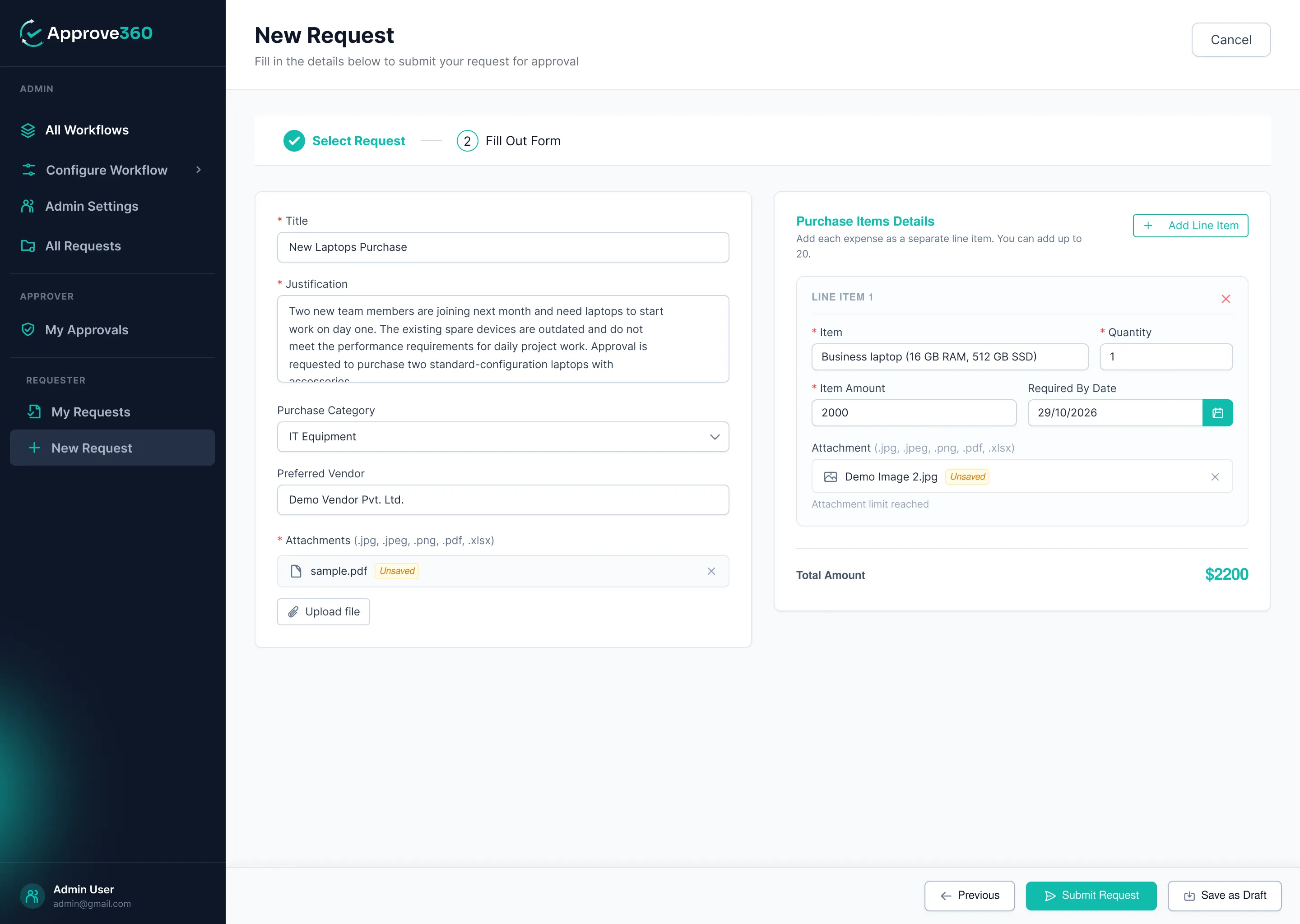
Design the Perfect Request Form
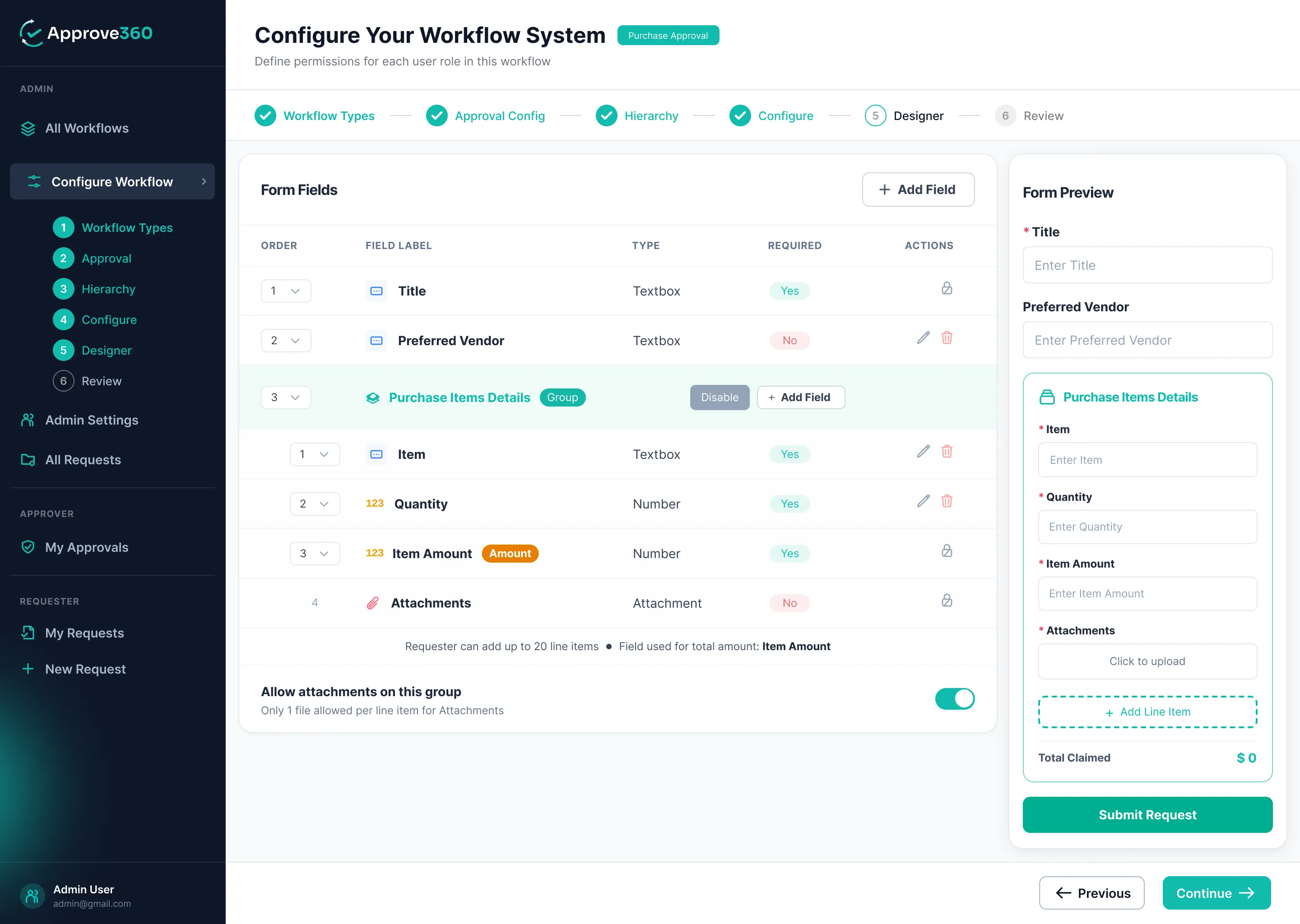
06 Design the Perfect Request Form
  • Add text, number, date, dropdown, checkbox, radio and toggle fields in a few clicks.
  • Use repeating line items with automatic totals, perfect for multi-item purchases and expense claims.
  • Collect attachments and watch a live preview of exactly what requesters will see.

Take Your Business to the Next Level with the Right Digital Solutions

Looking to improve efficiency, simplify business processes, or build something new? We're here to help you turn your ideas into practical solutions that support your business goals. Connect with our team to explore the right approach for your needs.

Why Choose Us?

We've spent years building approval solutions on Power Apps for businesses just like yours. Approve360 packs everything we've learned into one ready-to-use platform, so you get a proven approval system without the cost and wait of building your own.

10+

Years of experience

500+

Happy clients

130+

Technology experts

97%

Client retention rate

Approve360 Why Choose Us

Benefits

Everything your team needs to approve faster, stay in control and never chase another signature.

No More Chasing

Automatic reminders and escalations keep requests moving, so nobody has to send another "just following up" email.

Total Visibility

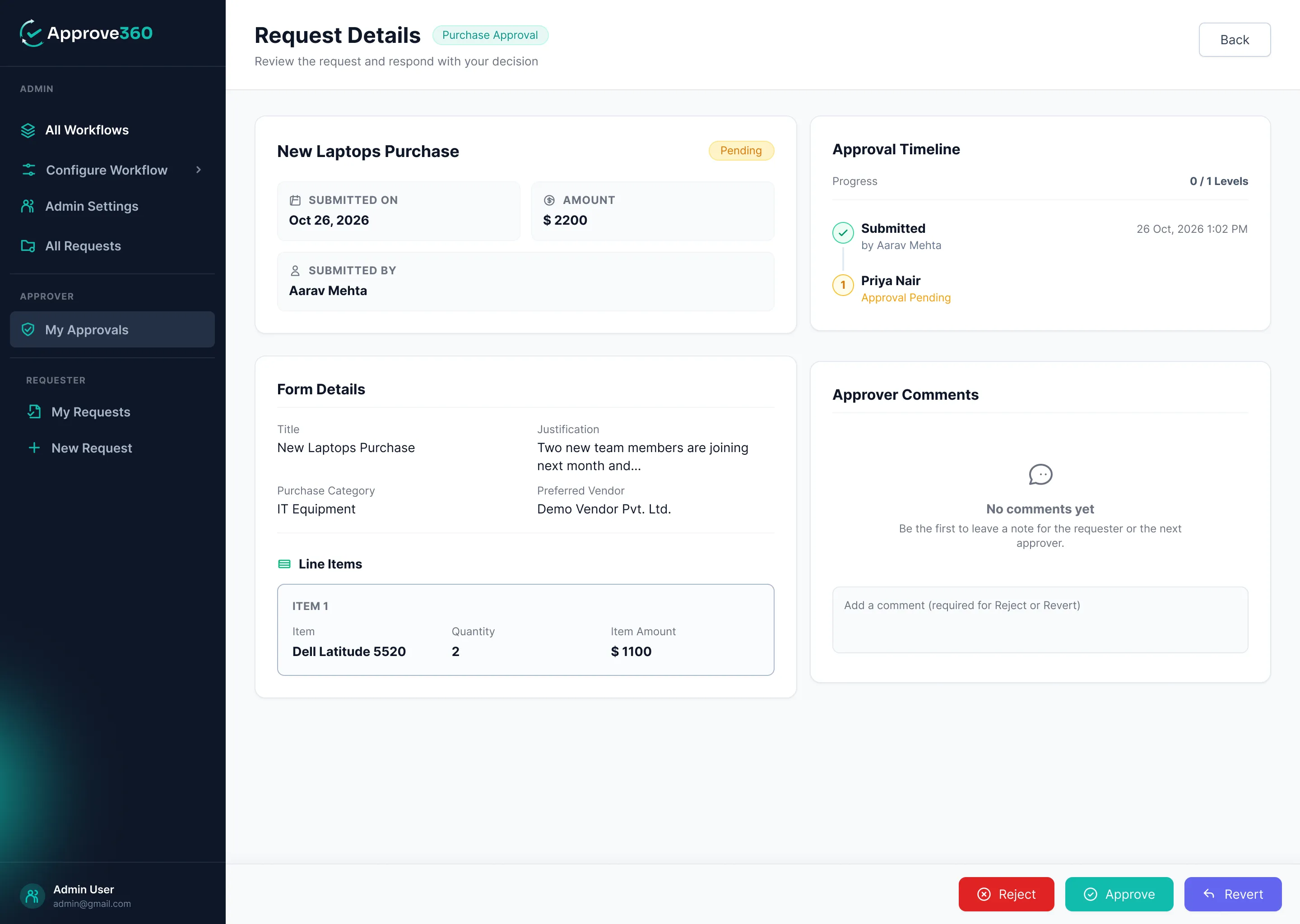
A live timeline shows who has approved, who's pending and what they said, for every request, at any moment.

Your Rules, Not the Software's

Set your own approvers, order, limits, timers and forms, and change them anytime in a few clicks.

The Right Approver, Every Time

Value-based routing sends bigger requests to senior people automatically, while small ones sail through with auto-approval.

Never Stuck on Leave

Backup approvers step in when someone's away, so business doesn't pause for holidays.

Secure Inside Microsoft 365

Your data stays in your own tenant, in Dataverse and SharePoint, and follows your existing security policies.

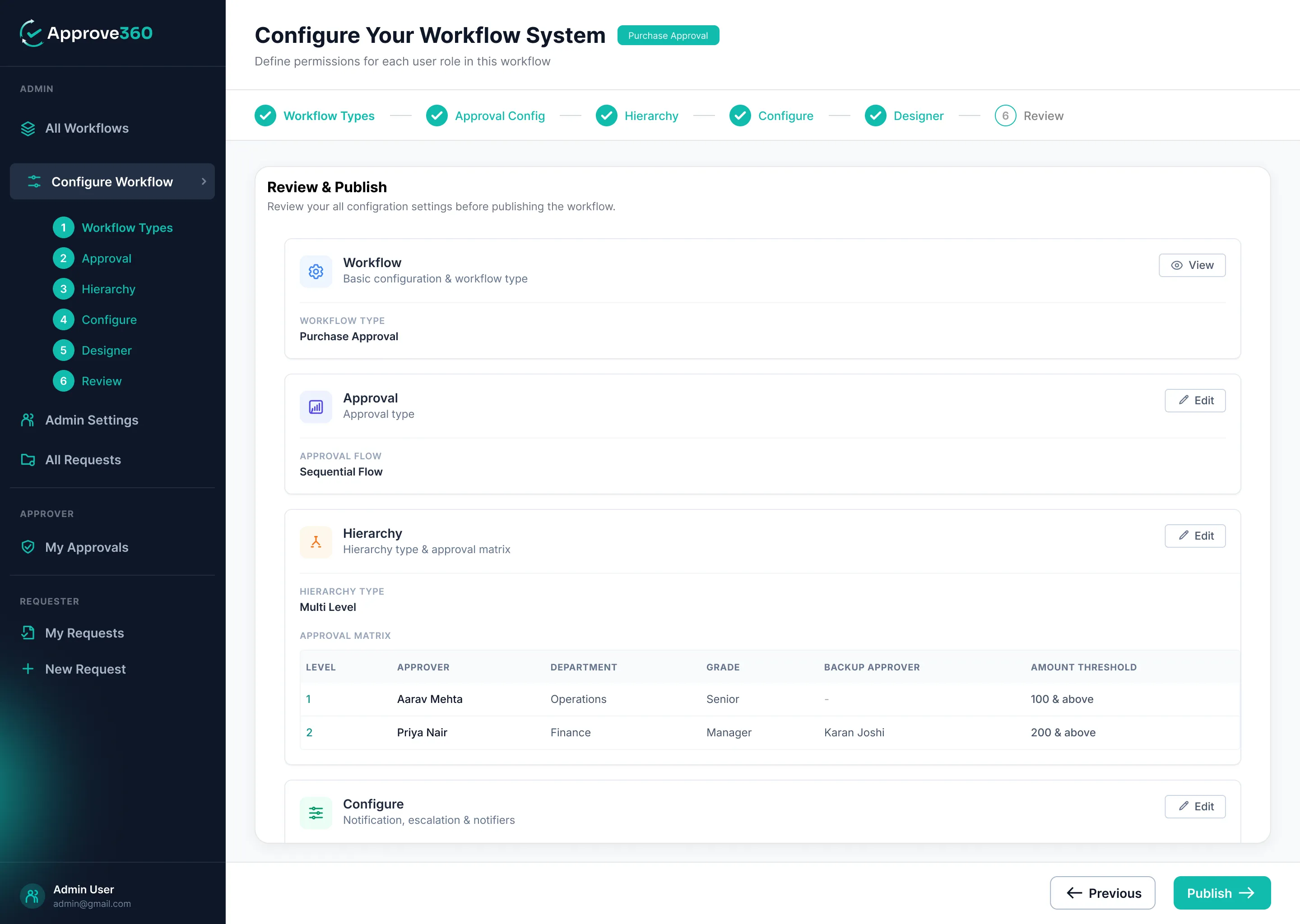
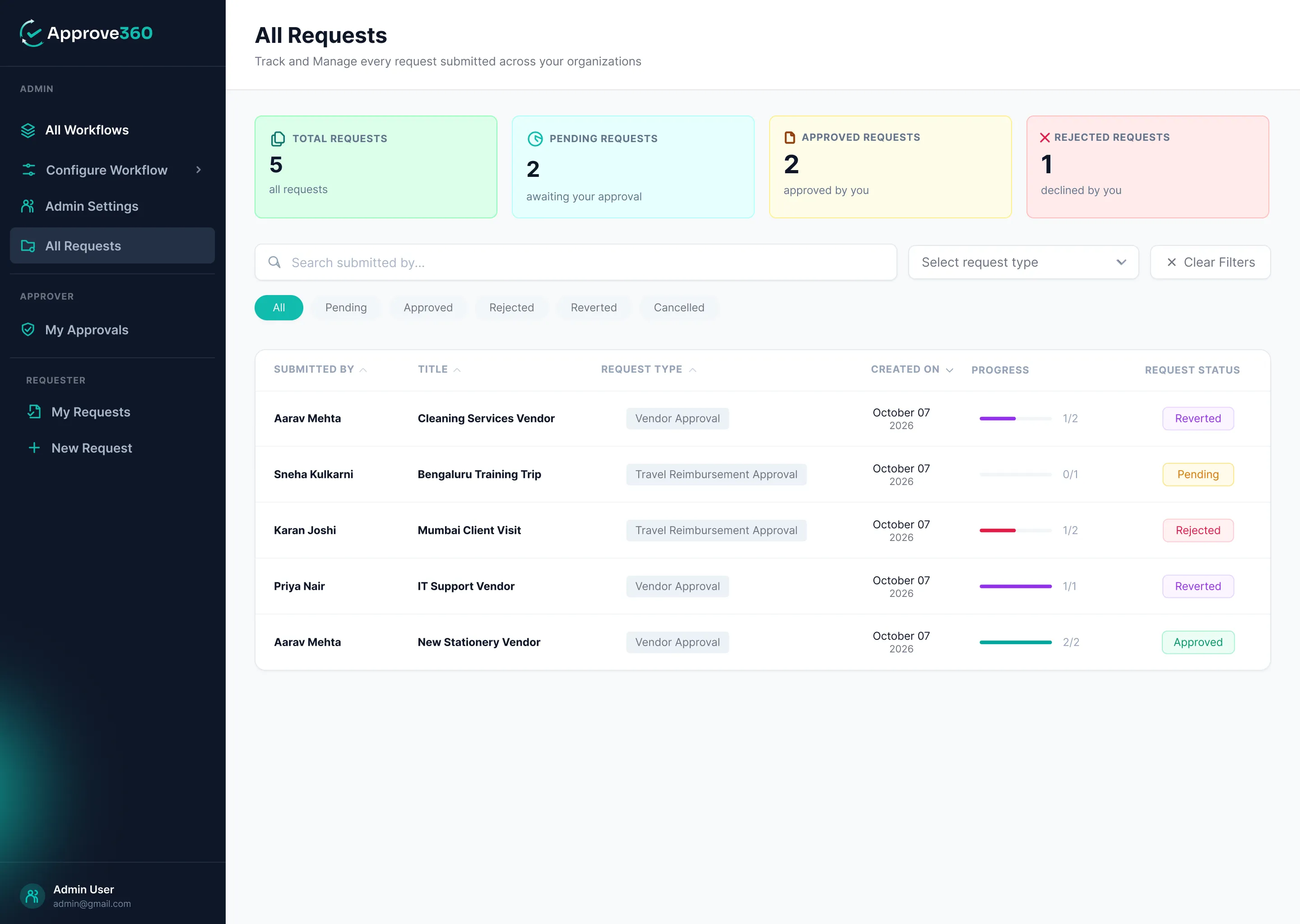
All Screens

Clean, modern and built for real work. Take a look inside Approve360, from the admin's workflow builder to the requester's form and the approver's inbox.

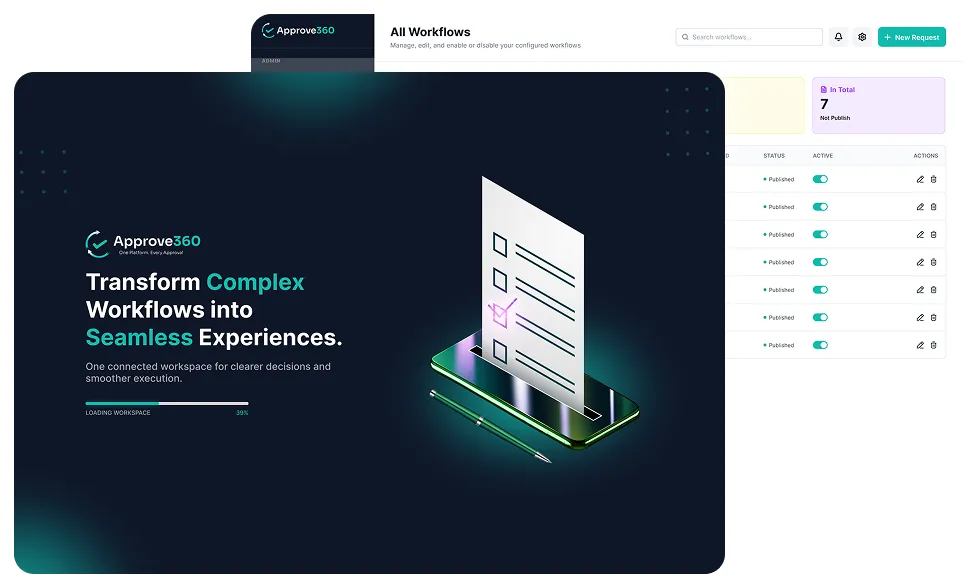
Transform Complex Workflows into Seamless Experiences. All Workflows Configure Your Workflow System Workflow Configuration Approval Hierarchy Setup Configure Your Workflow System Workflow System Review and Publish All Requests Request Details New Request Requests

Our Process

Go from email chaos to automated approvals in five simple steps.

Install
Install

Add Approve360 to your Microsoft 365 environment as a Power Platform solution.

Add Your People
Add Your People

Bring in users from your tenant and organize them by department, grade and role.

Build Your Flow
Build Your Flow

Pick an approval type, choose your approvers and set your rules in the step-by-step builder.

publish
Publish

Review everything in one place and go live with a single click.

approve
Approve & Track

Requests flow automatically, and everyone sees exactly where things stand.

Ready to Stop Chasing Approvals?

See how Approve360 can automate your approvals in a free 15-minute demo. Bring your toughest approval process, and we'll show you how to build it live.

Book Your Free Demo

tools and technologies

Technologies
  • Power Apps Canvas App
  • Power Automate
  • Microsoft Dataverse
Frontend
  • Power Apps
  • Power Apps
Backend & Database
  • Power Automate Flows
  • Microsoft Dataverse
Automation & Notifications
  • Microsoft Power Automate
Identity & Users
  • Microsoft 365 Users and Groups
UI/UX
  • Figma

Frequently Asked Questions

Approve360 is a configurable approval app built on Microsoft Power Apps. It lets your organization create its own approval workflows, submit requests, approve them and track every decision in one place.

No. Admins build and change workflows through a step-by-step builder, choosing approvers, order, limits, timers and form fields without any coding.

Approve360 comes ready for Expense, Purchase, Invoice, Vendor, Travel Reimbursement, CAPEX and Asset Request approvals, and each one is fully configurable.

You can add a backup approver for every level. If the main approver doesn't respond in time, the request is escalated automatically, so nothing gets stuck.

Inside your own Microsoft 365 environment. Business data is stored in Dataverse and documents in SharePoint, following your organization's existing security policies.

A Power Apps Premium license, a Microsoft Dataverse environment, SharePoint Online, Power Automate, and permission to install Power Platform solutions.

TEAMS
TEAMS
TEAMS
TEAMS
TEAMS
TEAMS
TEAMS
TEAMS