


Want to create something similar?
Get estimation for your requirements for free as well as kick start your project within 24 hours.
Contact Us


Its an popular LIVE video streaming application, it includes features like Group video chat, video call with Multi-guest Room, LIVE streaming, PK section where they can send gifts/coins and earn real money.

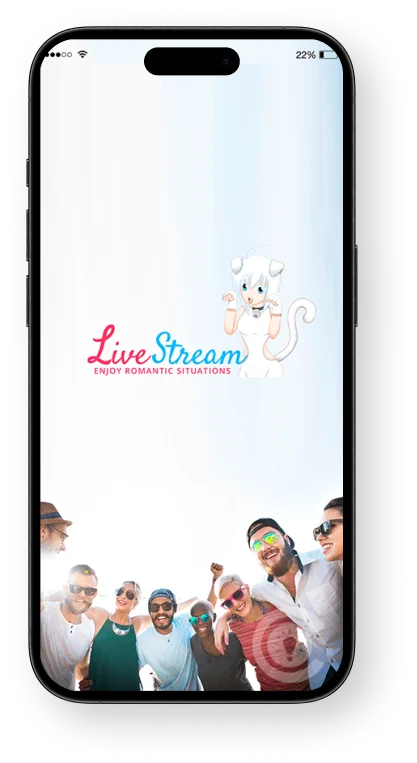
Live Streaming app for multi task.
Developed on Android MVVM architecture, Live streaming app is one of the best video streaming app that brings closer to the people and things you love. Explore the community and feel free to be yourself on the go by sharing everything – Right from your daily updates to the life's precious moments. The application houses some new and exciting features where host can invite guest streamers, and audiences can join live streaming, like video and post comments, send e-gifts to the host and so on.
Download the app now and go live with your favorites on the go!
Request a consultation
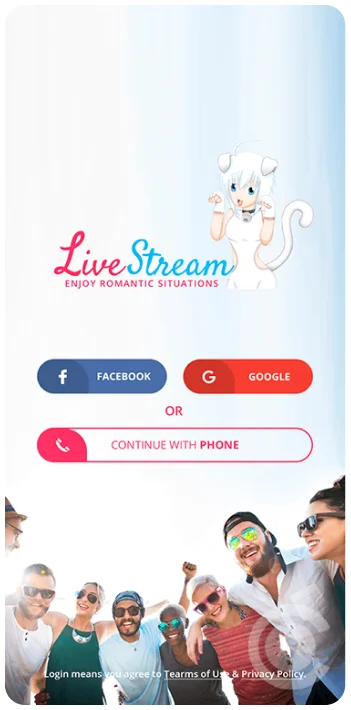
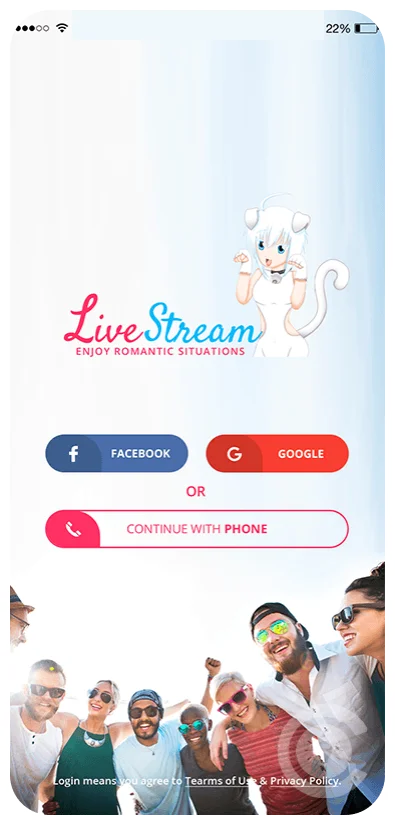
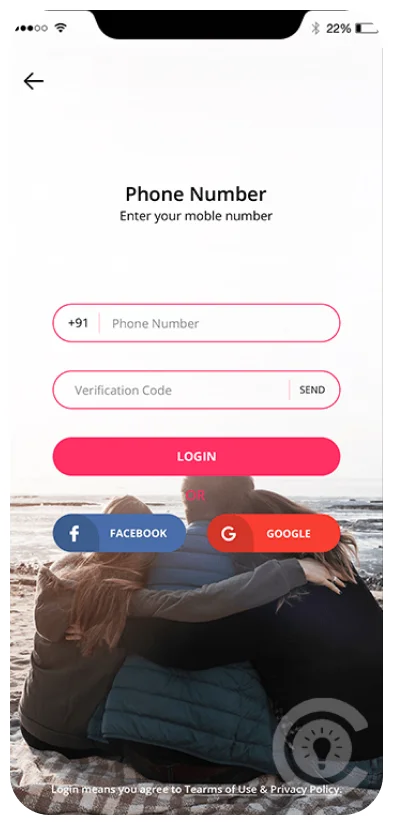
In order to login in Live Streaming applications, user needs to Signup and create an account. Later, user can login into account with various modes such as Gmail, Facebook account or either using mobile number. This flexible login keeps onboarding quick, so new users can get into a live stream within seconds of opening the app for the first time.
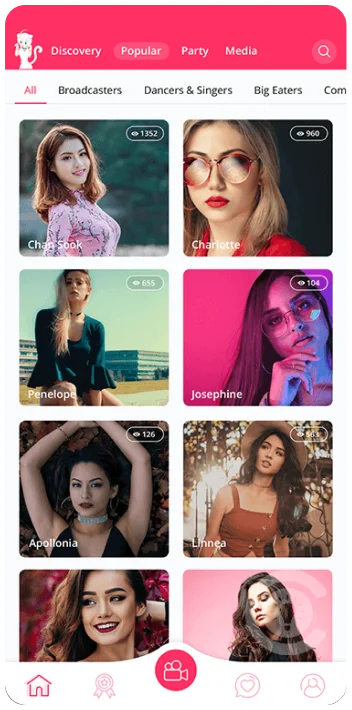
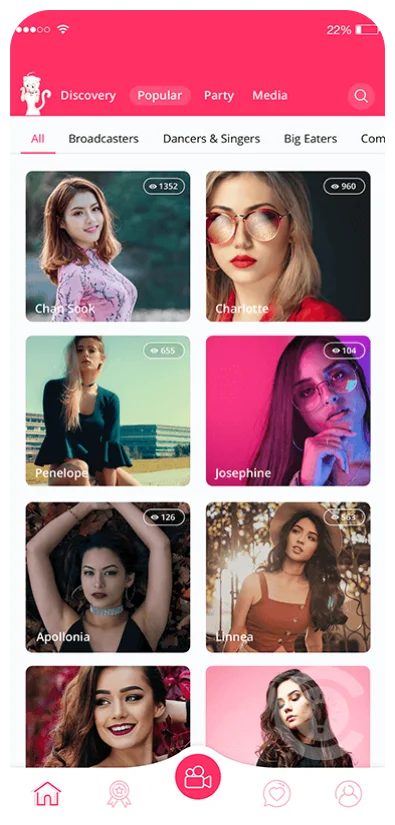
After login, user is followed to the Home Screen where they can visualize the list of liver broadcasters streaming currently. If they wish to, they can join the live stream or can also see the viewers from the particular stream. This is the main discovery screen of the app, so it's built to make it easy to spot popular streams at a glance and jump between them without friction.
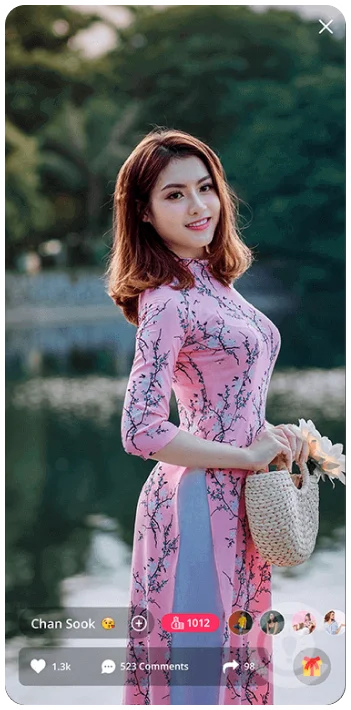
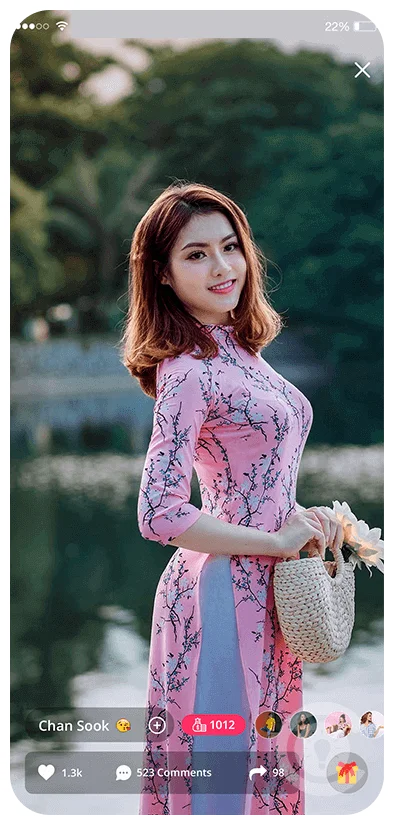
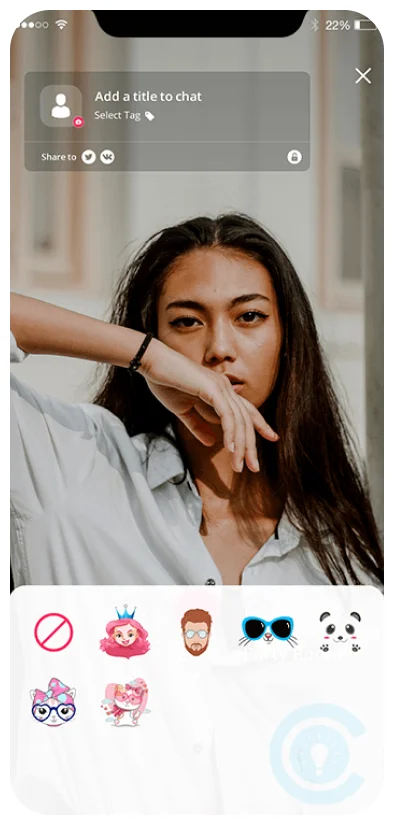
Apart from sharing video screen with each other, audience and host can post comments, see the list of viewers and can share stream invite link to each other. They can even invite audience to be the guest streamer by sending guest invitation. Audience can even send like to the video which will be displayed to the host with animation. They can even send gifts to host using in-app purchases and so on. This screen is where the app's core engagement loop happens - comments, likes, and gifts all translate directly into recognition and income for the host.
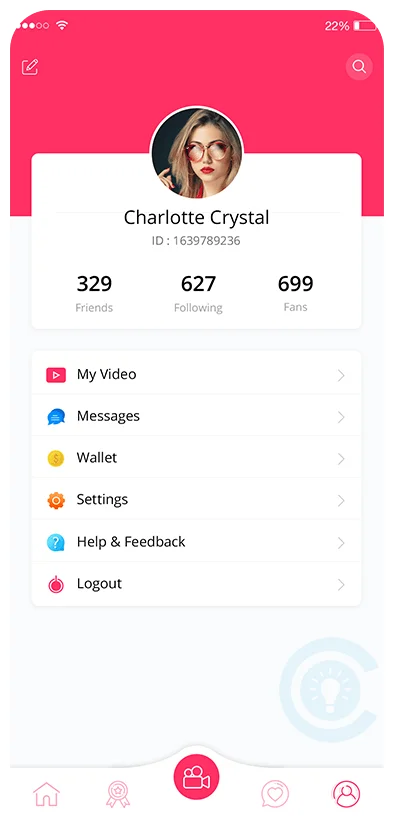
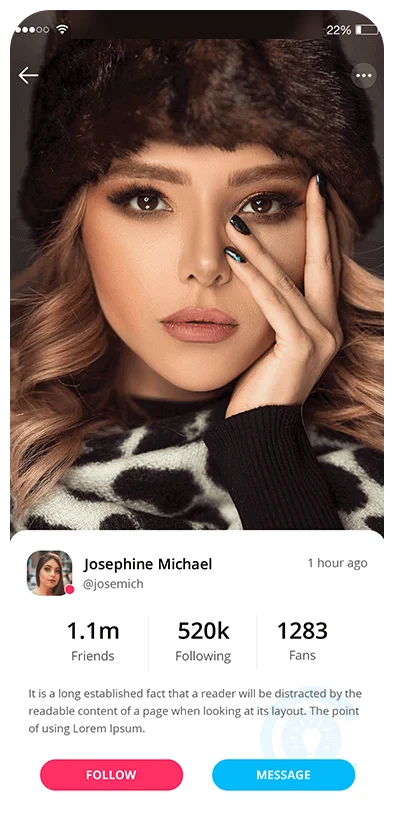
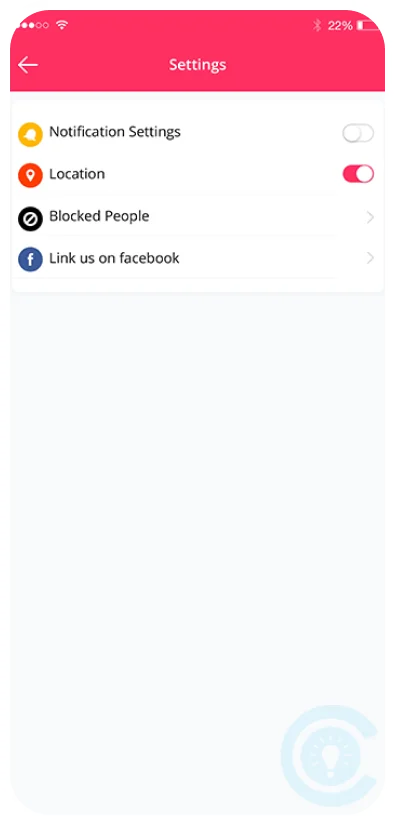
In profile screen, user can set notification settings, edit profile and upload multiple images, see friends, followings and fans count and so on. User can even check the history of gift received while streaming in the wallet. Keeping wallet history on the same screen as the rest of the profile makes it easy for hosts to track their earnings without digging through past broadcasts.
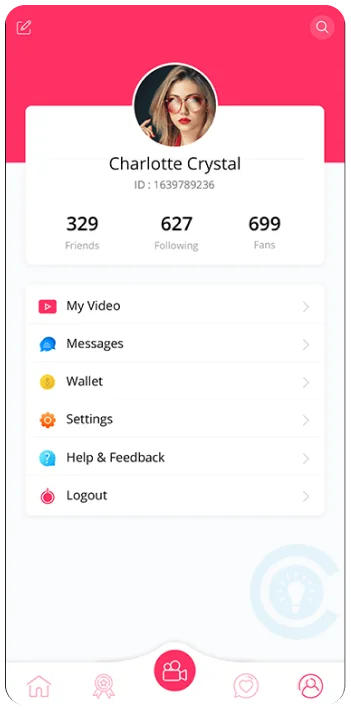
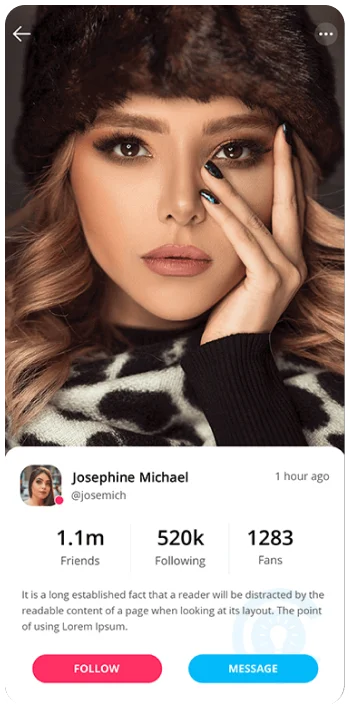
In this screen, users can make intelligent use of search option and can check out their profile. Users can even follow/unfollow other users. This screen also allows user to inter-chat with each other using chat functionality. It's a small screen with an outsized job - helping people find others worth watching keeps the whole platform feeling active rather than like a list of random streams.
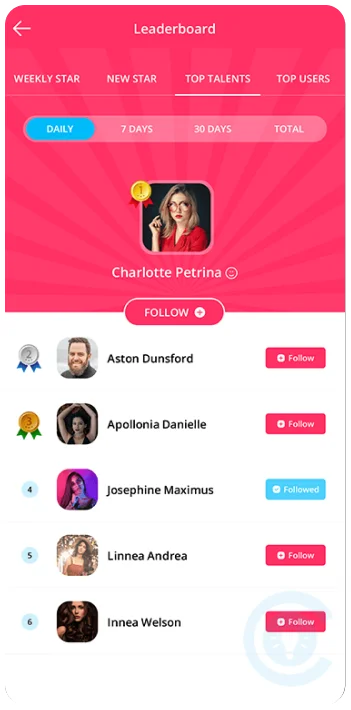
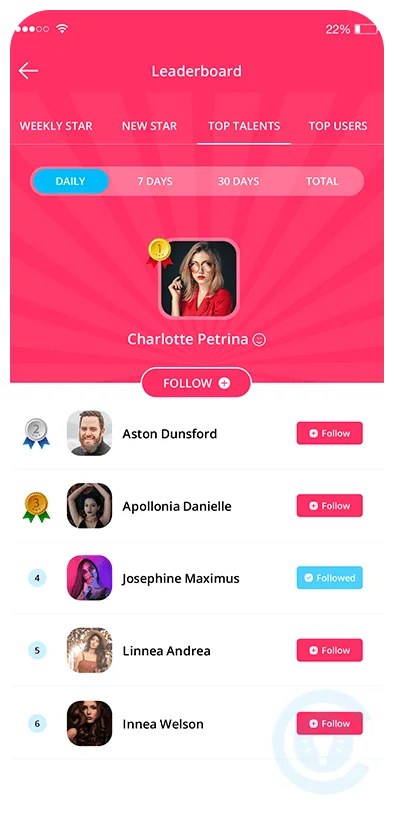
The leader board screen shows user rankings based on gift received/sent during live streaming. Here, users can even follow/unfollow other users from the leaderboard. It also as features such as weekly star that shows the list of the user that are streamed most during the current week. Moreover, the app also shows the list of newly registered user that are highly streamed during the particular week. The application also boasts the list of the user that receives maximum gift along with the one's sending highest gifts on daily, weekly basis. Leaderboards like this give hosts a reason to keep streaming and give viewers a fast way to find who's currently popular on the platform.
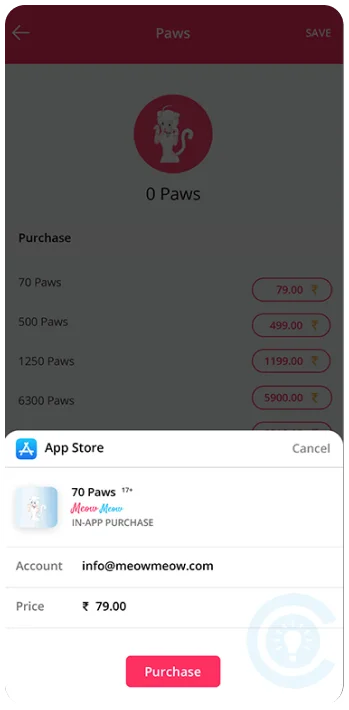
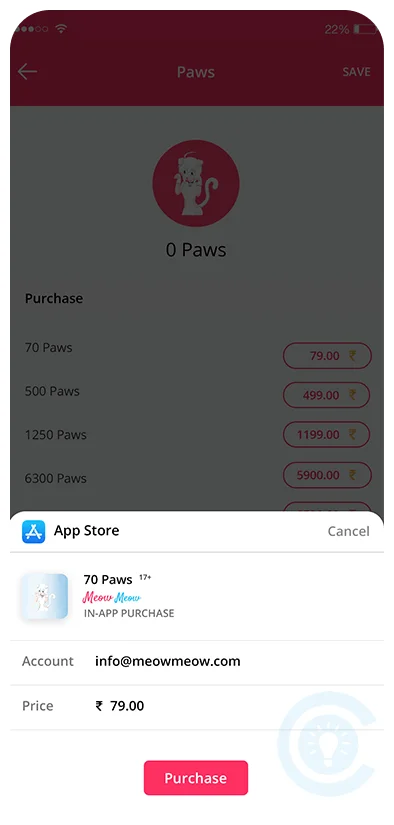
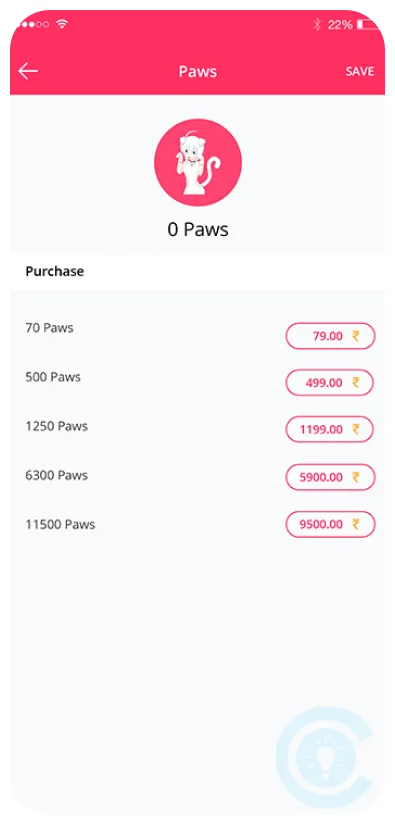
This screen let users buy paws from in-app purchases which can be later used to send gifts to the hosts and other users. It's a simple, secure purchase flow that powers the gifting system used throughout the rest of the app.

Get estimation for your requirements for free as well as kick start your project within 24 hours.
Contact UsOur clients share their experiences of working with us to build reliable digital solutions that address real business needs. Explore their feedback to learn how our team helps businesses improve processes, adopt the right technology, and turn ideas into successful solutions.


 Indonesia
Sonat Yalcinkaya
Founder & CEO of Soyaka"I am the founder and CEO of the Shox application and Soyeka AI.I've been working with the Concetto Labs team for about two years at this point. They have worked with us in a very productive, supportive, and collaborative manner ever since day one. I appreciate you talking with me."

 Botswana
James Mukabi
Founder & CEO of Kgalagadi Pharmacy"I'm James Mukabi from Botswana, and I'm a happy customer of Concetto Labs.In order to create our new medicine delivery app, we built Concetto Lab.I discovered the Concetto Labs crew to be highly professional and knowledgable about their job when we were developing the app. The crew is welcoming, they listen to you, and they walk you through each step as the project takes shape. Finally, I can attest that the product was precisely what we had envisioned."

 USA
USA
Kevin Cooper
Founder & CEO of Skrachy"I am the creator and CEO of Scratchy, a DJ-focused digital streaming platform.About 2.5 years ago, I approached the Concetto Labs team with nothing more than an idea and a vision.The team at Concetto Labs was able to implement that notion & goal.A streaming platform by the name of Scratchy also has a built-in marketplace, an advertising engine, and a mobile app.Without the Concetto Labs team's devotion & commitment, I'm not sure how I would have been able to do this."

 Italy
Italy
Francesco Defazio
Founder & CEO of HoliSoft"My company is a software house, but we have no expertise in web development.We have been working with Concetto Labs for two years.We are very happy with our collaboration because they are very efficient, fast, and also have excellent graphic solution.Thank you, Concetto Labs."

 Panama
Andres
Project Manager at Fennix Global"These are a few justifications for choosing Concetto Labs for your upcoming website project.They are quick implementation timeframes, capable & accommodating customer service, and frequent meetings that facilitate seamless project progress.Concetto Lab provide a strong foundation that will meet our demands for a number of years.For anyone searching for solutions for website development, I heartily suggest them."
 USA
USA
Mercy Nyamangwanda
Founder & CEO of KAI App"My name is Mercy. I am the owner of the Kai app, and I had the chance to collaborate with Concetto Labs to have this fantastic software made for me.Because I had the finest experience, I would give it a five out of five. It was always excellent, quite professional, and the software was well-liked.And if I were to work with them again, I'd suggest Concetto Labs to anyone looking to download or make apps."

 Australia
Stephen Joseph Donohue
Founder of True Serendipity PTY LTD"Hi, guys. My name's Donohue. I work from the Gold Coast in Australia. I've been developing SaaS apps now for a year or so, generally through base44. My most recent apps are Freelance Synergy and Smallbiz AI Solutions. I've also produced a WordPress blog from Smartbiz Metrix, which I've also created. The Freelance Energy and Small Biz AI were Developed and QA by Rahul and Gaurav from Concetto Labs. These guys are just brilliant. They're so easy to work with. They've done a wonderful job. I couldn't recommend them enough. They're always there when I need them. Even if one particular project is finished and something goes wrong with it, I give them a call and they fix it for me instantly. So highly recommended. I definitely will be using them again, and I suggest you do as well."








Reach out for inquiries, partnerships, or support. Our team is ready to assist you.
YEARS OF EXPERIENCE
TECHNOLOGY EXPERT
CLIENT RETENTION RATE
MOBILE APP DEVELOPED
HAPPY CLIENTS
WEB APP DEVELOPED


